Loading a project from the controller
This section explains how to import an existing project directly from the KUKA controller into SunriseWorkbench.
Prerequisite
Make sure that SunriseWorkbench is installed and running. See the Windows and Linux installation guides.
Starting the project import wizard
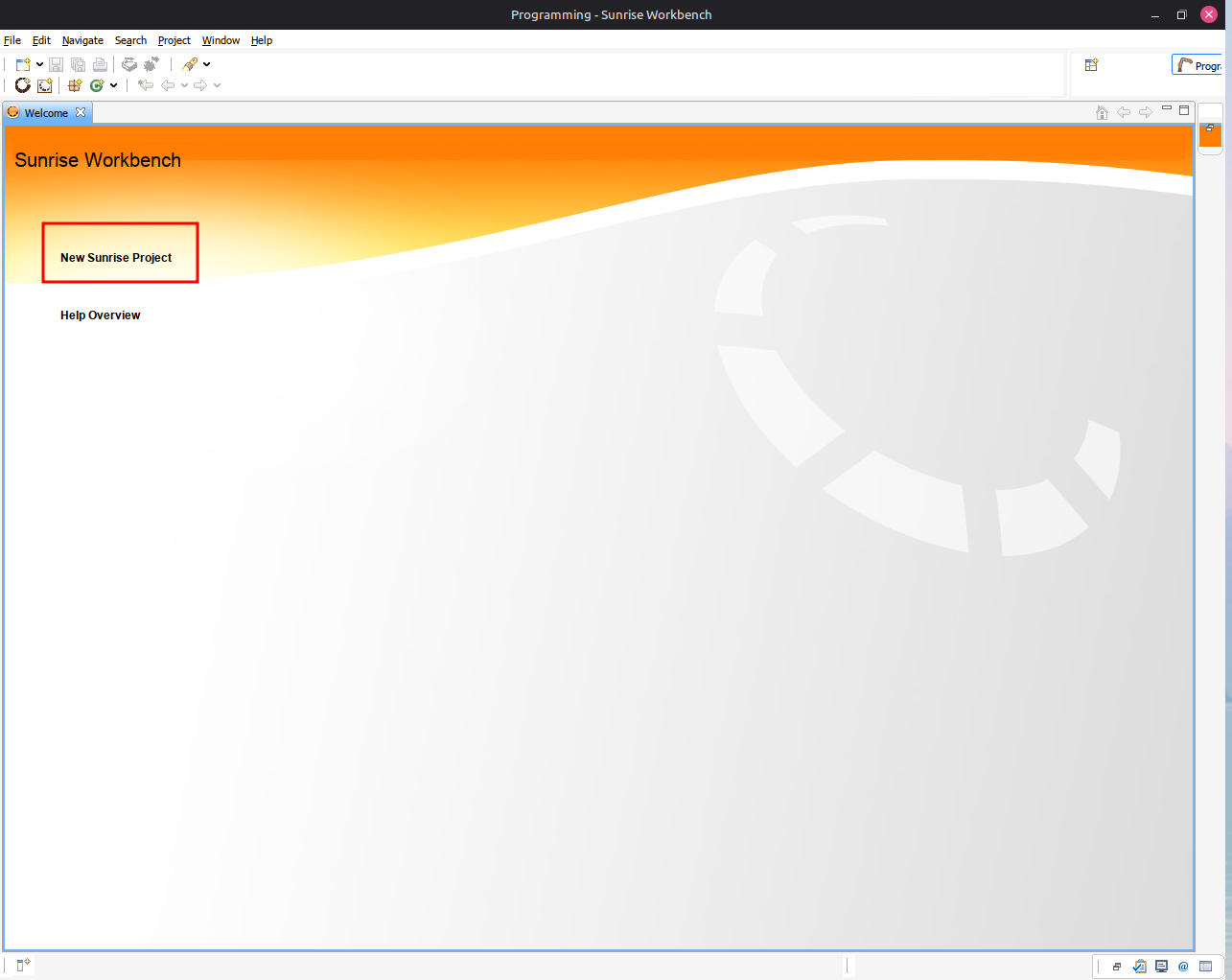
In the main SunriseWorkbench window, click New Sunrise Project.
In the dialog that opens, select Load project from controller and enter the IP address of the KUKA Sunrise Cabinet controller.
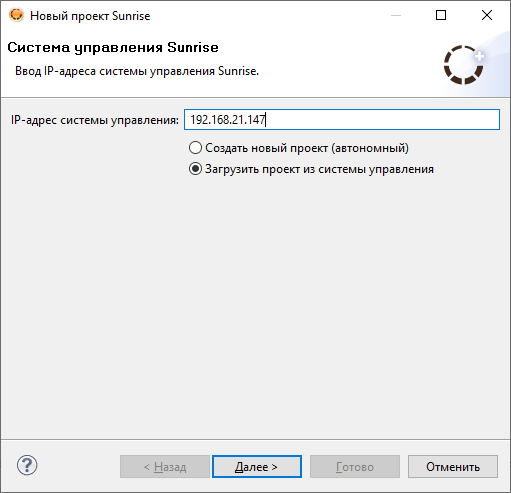
Controller IP address
The default controller IP address is 172.31.1.147. If the controller has been reconfigured, enter its current address. This configuration uses 192.168.21.147. To find the current address, see Station configuration.
Click Next to begin downloading the project from the controller.
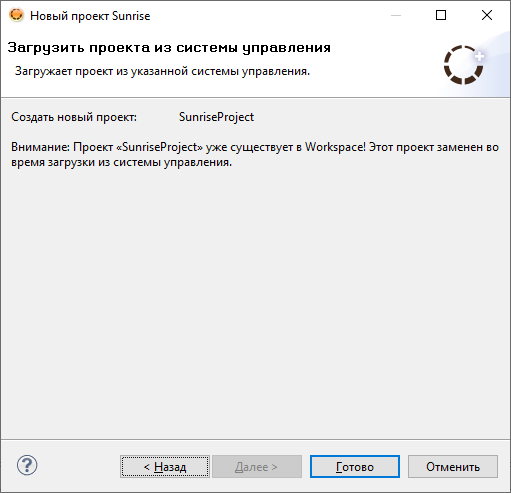
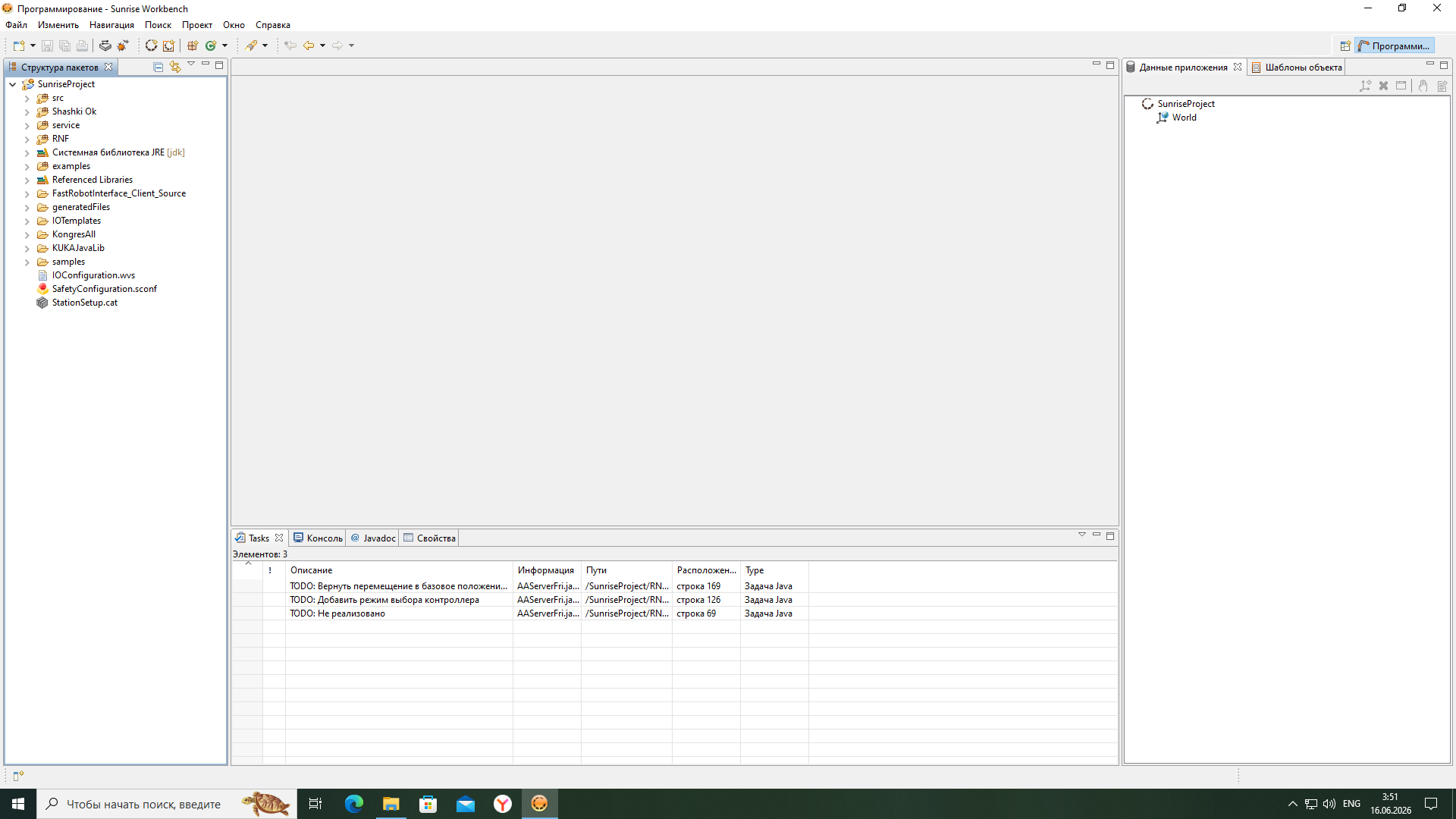
When the download is complete, the imported project appears in the SunriseWorkbench project tree. In this example, the project is named SunriseProject.
Next step
All required libraries must be installed for full robot operation. See Installing libraries.