IO Group menu
The I/O groups section provides monitoring and manual control of digital input/output signals configured in the Sunrise project. Open it from the smartHMI navigation bar.
Available groups
Click I/O groups in the navigation bar to open the list of available groups. This project defines the following groups:
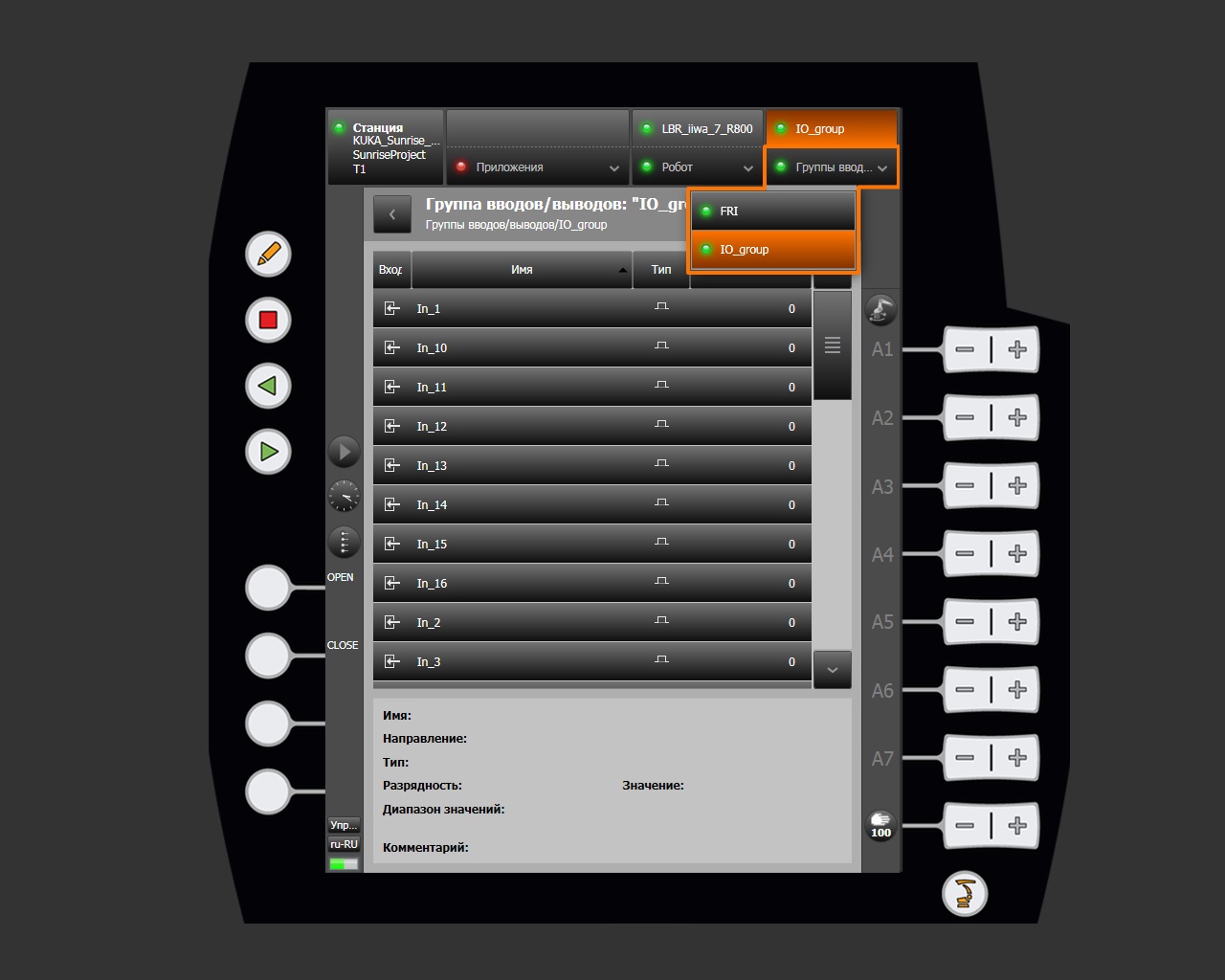
| Group | Description |
|---|---|
| FRI | FRI (Fast Robot Interface) signal group |
| IO_group | Custom digital input/output group |
Viewing signals
Selecting a group opens a page containing all of its signals.
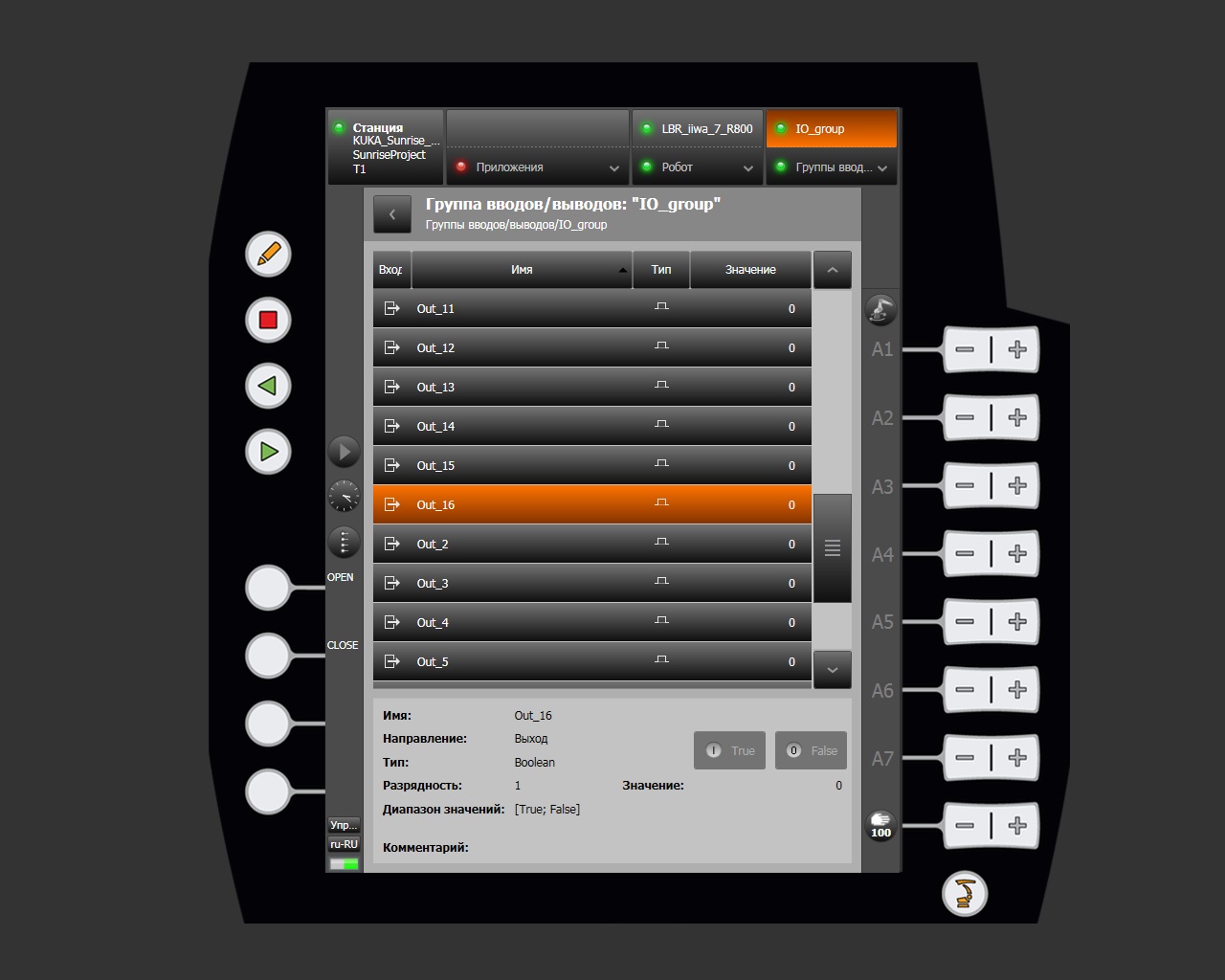
Signal table structure
| Column | Description |
|---|---|
| Input / Output | Signal direction icon |
| Name | Signal name, such as In_1 or Out_16 |
| Type | Signal type; digital Boolean for this group |
| Value | Current signal state (0 / 1) |
Controlling output signals
For signals whose direction is Output, the lower panel provides buttons that force a value:
| Button | Action |
|---|---|
| True | Set the output signal to 1 (active) |
| False | Set the output signal to 0 (inactive) |
Note
Input signals are read-only.